01
Document control
Procedures, work instructions, forms, manuals and documents of external origin, controlled from drafting to disposal.
- Drafted → reviewed → quality approval → released. No document is released without approval.
- On release, the previous revision moves to the archive automatically; the reason for change stays on record.
- Word and Excel files are edited in the browser without breaking the Office format; template fields are filled from the system.
- Read records: who opened it, through which channel (web or kiosk) and when.
- Retention period and disposal method are defined per document type.
Standard reference ISO 9001 7.5.2, 7.5.3 · IATF 16949 7.5.3.2.1, 7.5.3.2.2 · ISO/TR 10013
02
Nonconformity reporting
Product, process, environmental and OHS nonconformities are recorded in the same structure.
- Anyone can raise a report; the responsible process owner accepts it or rejects it with a reason.
- An accepted report starts a CAPA or an 8D in one click.
- Sources are predefined: customer complaint, in-process, supplier, internal audit, shop-floor walk, near miss.
- Counters: awaiting approval, in progress, closed, rejected.
Standard reference ISO 9001 8.7, 10.2 · IATF 16949 10.2.3 · ISO 14001 / ISO 45001 10.2
03
Corrective and preventive action (CAPA)
Find the root cause, plan the permanent action, verify its effectiveness.
- Root cause section: 5 Whys and fishbone (Ishikawa).
- Opening, root cause, containment, due-date changes: every step on the timeline.
- An action cannot be closed without an effectiveness check.
- Overdue actions show up separately on the counter.
Standard reference ISO 9001 10.2.1, 10.2.2 · ISO 14001 / ISO 45001 10.2
04
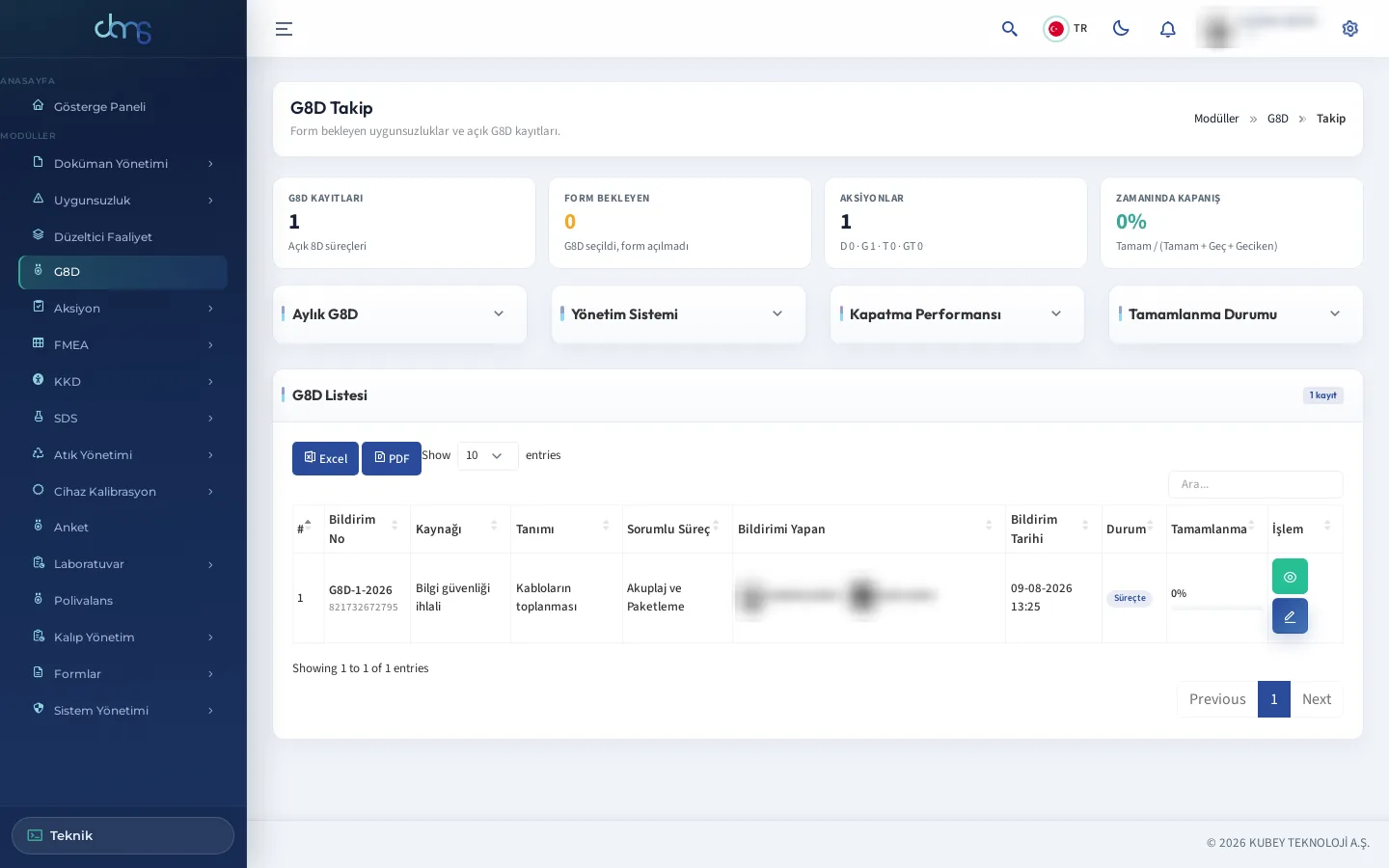
8D problem solving (G8D)
The 8D report your customer expects, from D0 to D8 in disciplined steps.
- Step bar: completed steps green, the active step orange, pending steps grey.
- 5W1H problem description in D2, fishbone and 5 Whys in D4.
- Containment, permanent and preventive actions, each with owner and due date.
- An 8D report ready to send to the customer (PDF).
Standard reference IATF 16949 10.2.3, 10.2.4 · ISO 9001 10.2
05
Action tracking
Every action from audits, risk assessments and management reviews in one list.
- Planned completion, actual date and duration side by side.
- Closing requires the actual date and evidence.
- On-time completion report and open actions by process.
- An overdue action shows a red badge on the owner's dashboard.
Standard reference ISO 9001 6.1, 10.2
06
FMEA
Rate process and product risks in advance and follow the mitigation actions.
- High / Medium / Low priority from severity, occurrence and detection ratings.
- Colour-coded ratings: 1–4 green, 5–7 orange, 8–10 red. Risky rows stand out at a glance.
- Diagram view and a list of rows awaiting action.
- FMEA export as PDF.
Standard reference IATF 16949 6.1.2.1, 8.3.3.3 · AIAG & VDA FMEA Handbook approach · ISO 9001 6.1
Standard references show how the module supports the record, approval and traceability requirements of the clause in question. Certification is earned by your organization.